
How to play on CN servers
You can create your Bilibili account on Android or iOS, then use it directly on PC. This is often the simplest option when signing in with a phone number does not work on PC.
Video guide

Important information
Bilibili registration methods, available IDs and the English patch can change with LOTM updates or community tools. Check the Slyraf Discord for the latest information.
Last update

PC
- 1
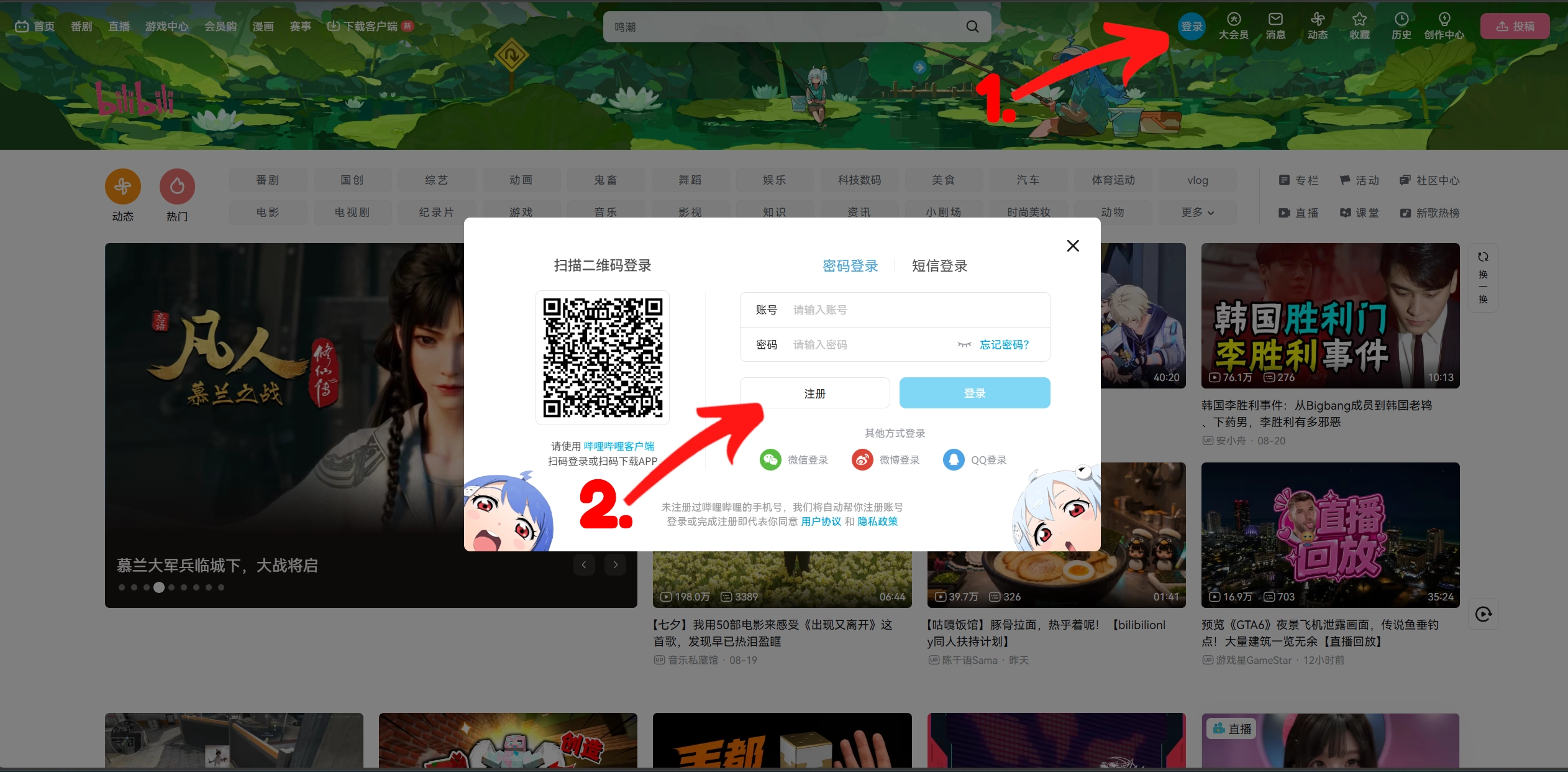
Go to bilibili.com.
- 2
Sign in with your phone number. If this does not work, create the account through Android or iOS first.
- 3
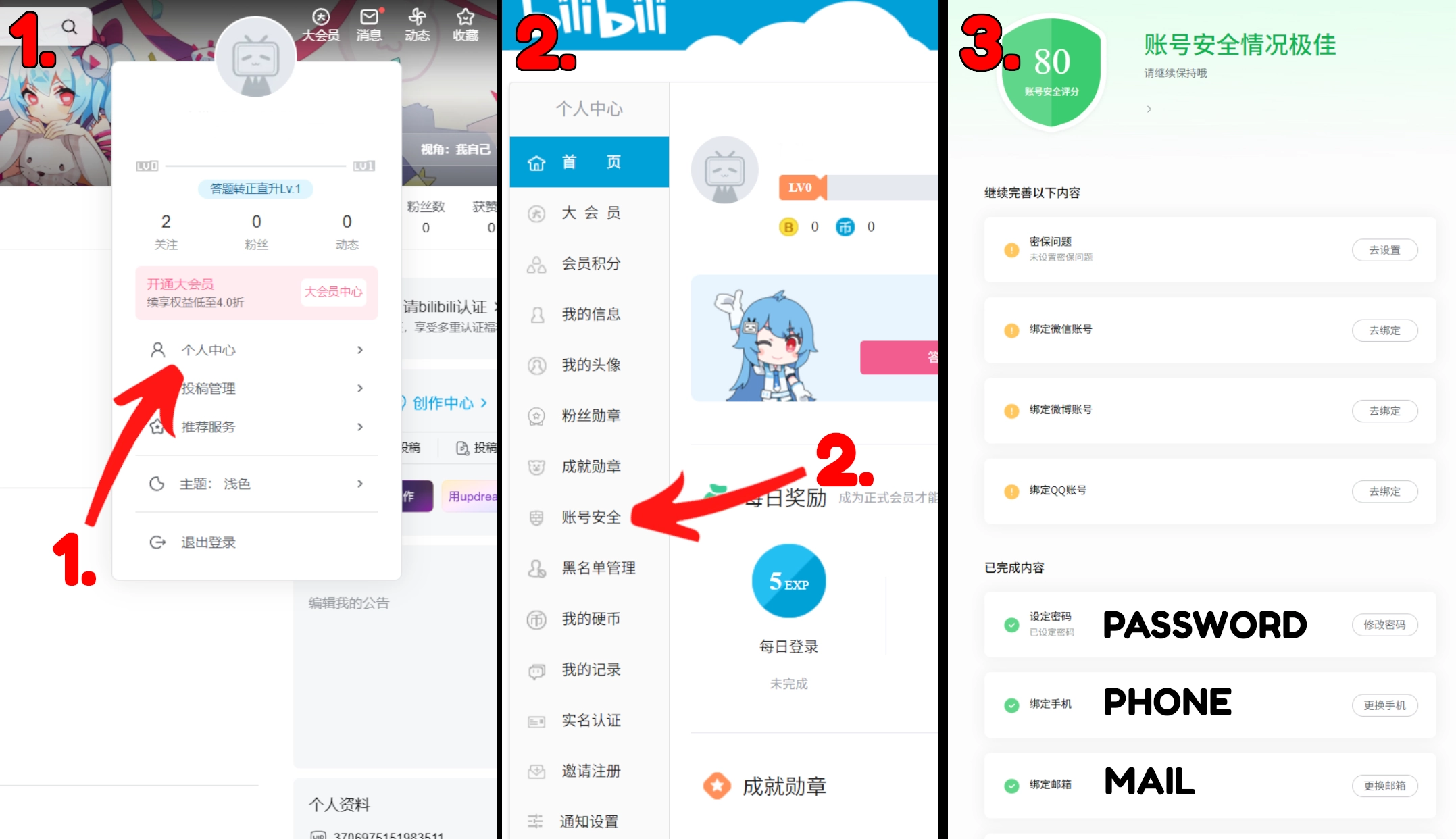
Add an email address and save a password in the account settings.
- 4
- 5
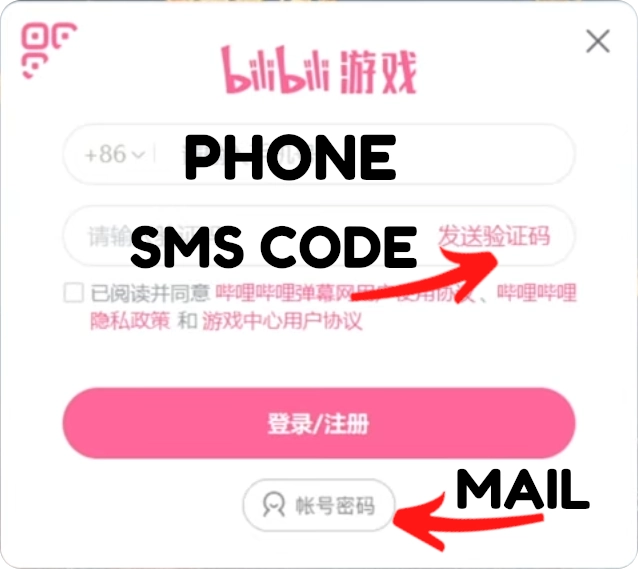
Log in to LOTM with the email address.
- 6
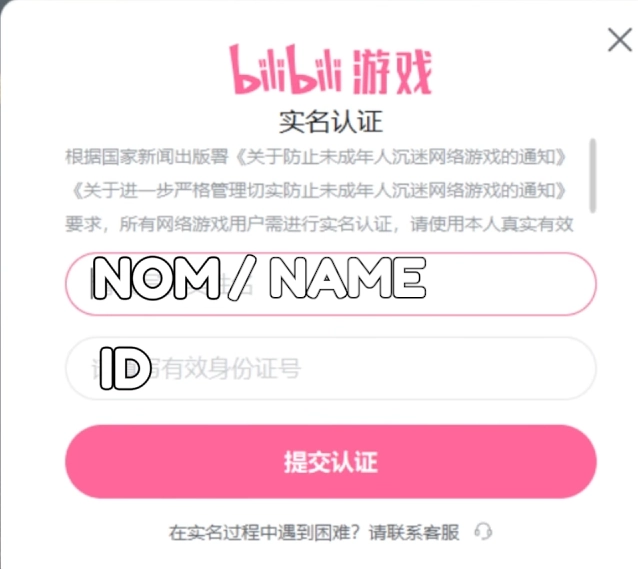
Use an ID available on our Discord.
Android
iOS
- 1
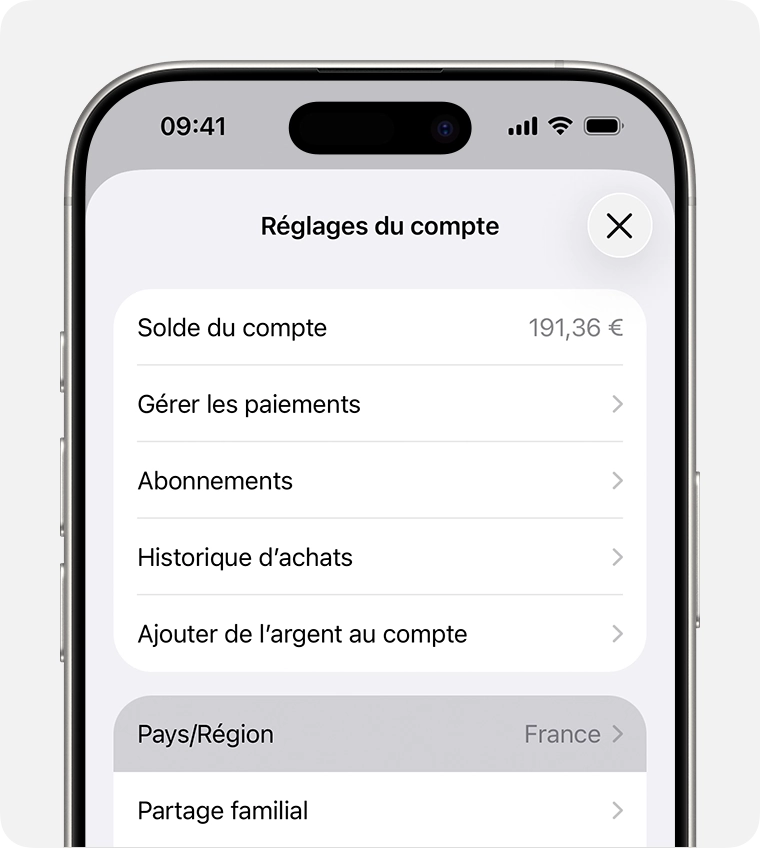
Change your region and use a random address. Or use an emulator such as BlueStacks on PC, then follow these instructions.
- 2
Install Bilibili.

- 3
Sign in with Google.
- 4
An alert asks you to register your phone number: click “Get”, then save your email address and password in the Mail category.
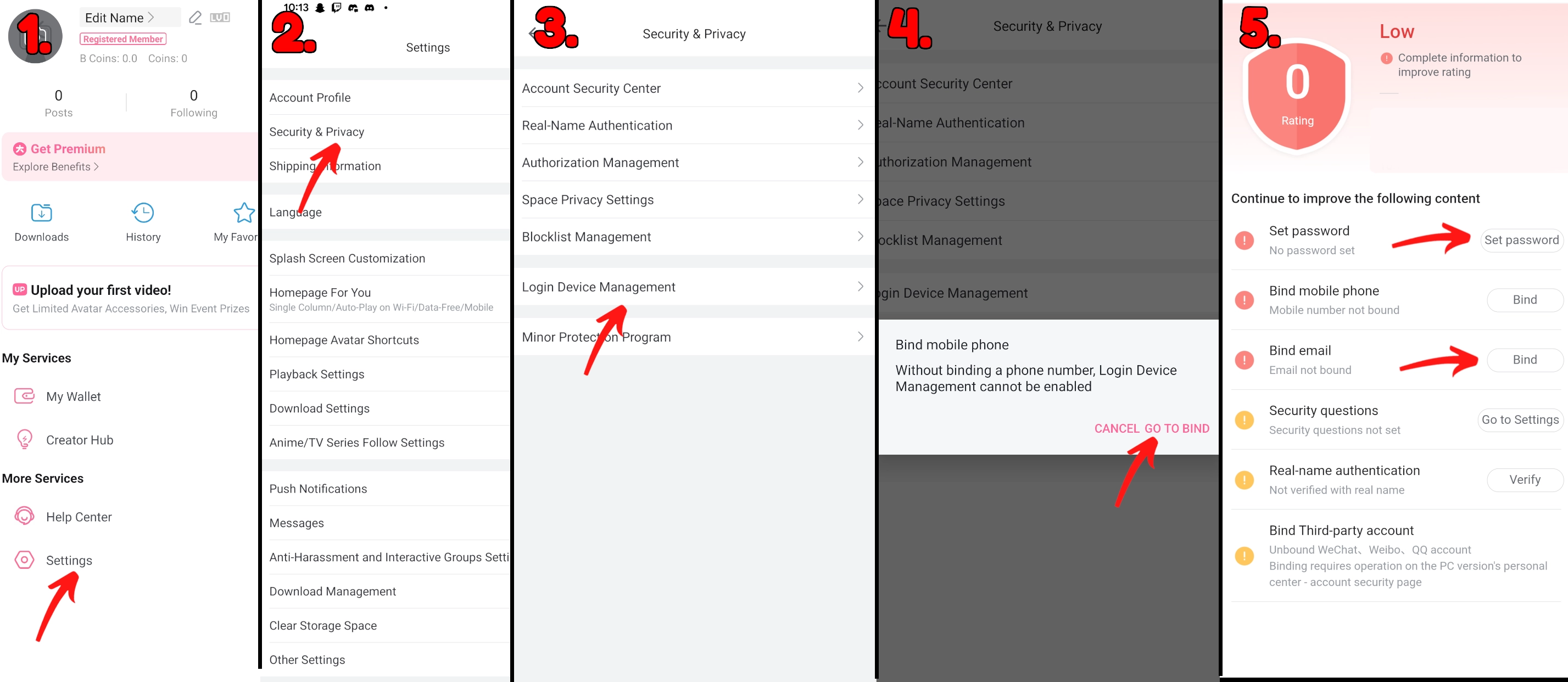
- 5
- 6
Log in to LOTM with the email address.
- 7
Use an ID available on our Discord.
English patch
To play with an English interface, install the community-made translation software. You can find it on the community Discord or the Slyraf Discord.
How the English patcher works
The patcher finds your LOTM installation, then applies the community English translation to the game files. Close the game while it installs; the launcher can stay open.
When a new version is available, the patcher can fetch its updates from GitHub. You can also download the latest version manually from the releases page.
Official repository and Windows warning
Download the patcher and its updates only from the official GitHub repository below. It is the reference source for releases and automatic-update files. The patcher does not yet have a code-signing certificate, so Windows or antivirus software may flag it. If that happens, authorize only the official download in your antivirus or in Windows Defender Protection history. Official GitHub releases.
Find an ID
Pinned IDs are available in the #lotm channel on the Slyraf Discord.
Join DiscordHave a question?
Join the Slyraf Discord for the latest LOTM launch news.
LOTM starter guide FAQ
Can I play LOTM without a phone number?
Yes. Create a Bilibili account through Android or iOS with Google, add an email address and then use that email to sign in on PC.
How do I create a Bilibili account without a phone number?
Install Bilibili on Android or iOS, sign in with Google, then add an email address and password in the account settings.
How do I play LOTM in English?
Use the community English patch available through the community or Slyraf Discord.
Where can I find a LOTM ID?
Pinned IDs are available in the #lotm channel on the Slyraf Discord.
